

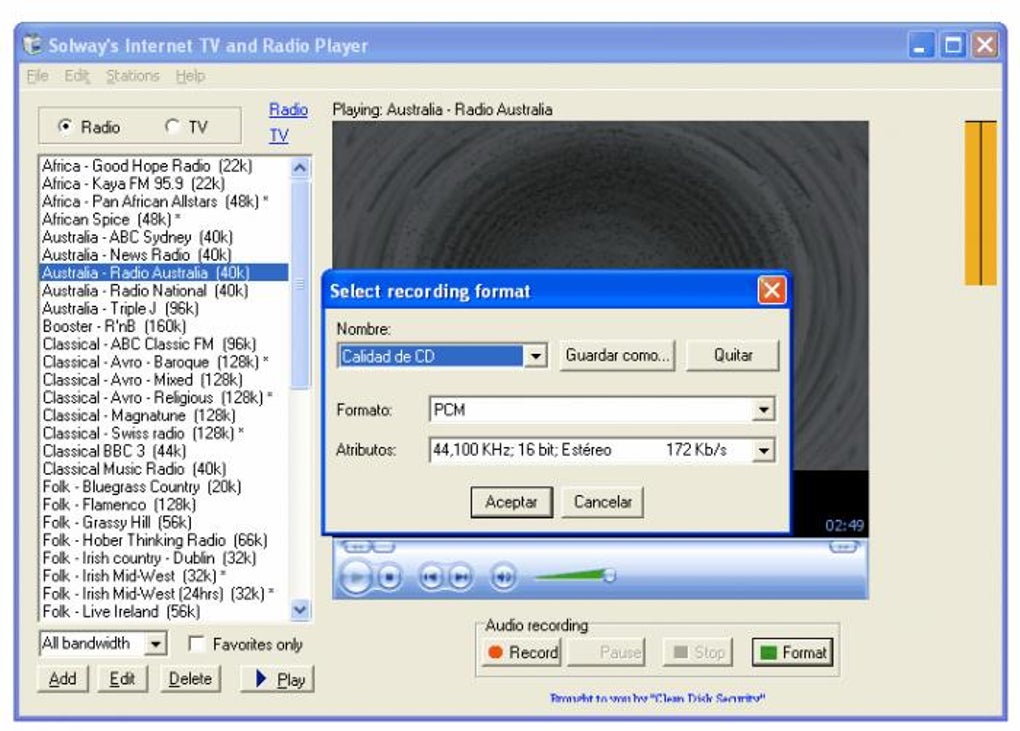
Description
Download Solway's Internet TV and Radio Player – Free Global Streaming App for Windows
Experience the world at your fingertips with Solway's Internet TV and Radio Player, a lightweight, free software tool designed for streaming live TV and radio channels from around the globe. Whether you're in the United States, Algeria, or any other country, this reliable application lets you tune into thousands of international broadcasts without a subscription. With support for multiple media formats and a simple interface, it’s one of the most trusted free streaming tools available for Windows users. Ideal for music lovers, news enthusiasts, and global viewers, Solway’s Internet TV and Radio Player delivers secure, uninterrupted access to live content. The software has been a favorite since its release in 2006 and continues to be a go-to choice for users seeking a no-frills, high-performance streaming experience. Download now and start exploring global entertainment, news, sports, and music anytime, anywhere.
Key Features of Solway's Internet TV and Radio Player
Solway's Internet TV and Radio Player stands out in the crowded world of streaming tools thanks to its clean design, robust functionality, and long-standing reliability. One of its most appealing features is its vast library of live TV and radio channels from over 100 countries. From BBC News and CNN to local radio stations in Africa, Asia, and South America, the software provides access to a truly global media experience. Unlike many modern streaming apps that require accounts or subscriptions, this tool is completely free and open to all users—no sign-ups, no hidden fees.
Another standout feature is its lightweight footprint. At just a few megabytes, it runs smoothly on older systems, including Windows 2000 and earlier versions, making it a rare gem for users with legacy hardware. The player supports a wide range of streaming formats such as M3U, HLS, and RTMP, ensuring compatibility with most online streams. Its intuitive interface allows even beginners to navigate quickly—simply open the app, browse categories, and start watching or listening with a single click.
Additionally, the software includes a built-in playlist manager, enabling users to save favorite channels for instant access. You can organize your favorites by region, genre, or language, which is especially useful when exploring content from different continents. The update history shows consistent maintenance, with the last version (1.54) released in 2006—a testament to its stability. While it may lack modern UI elements, its core functionality remains unmatched for free, secure, and straightforward streaming on Windows.
How to Install and Use Solway's Internet TV and Radio Player
Installing Solway's Internet TV and Radio Player is a simple, hassle-free process, especially for users familiar with older Windows systems. Begin by downloading the software from a trusted source. Since it’s a free tool, ensure you’re using an official or reputable mirror to avoid bundled adware or malware. The installer is compact and runs without requiring admin rights on most systems, making it ideal for shared or restricted environments.
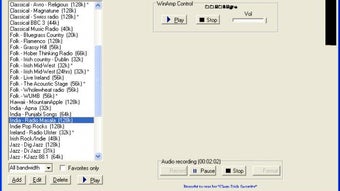
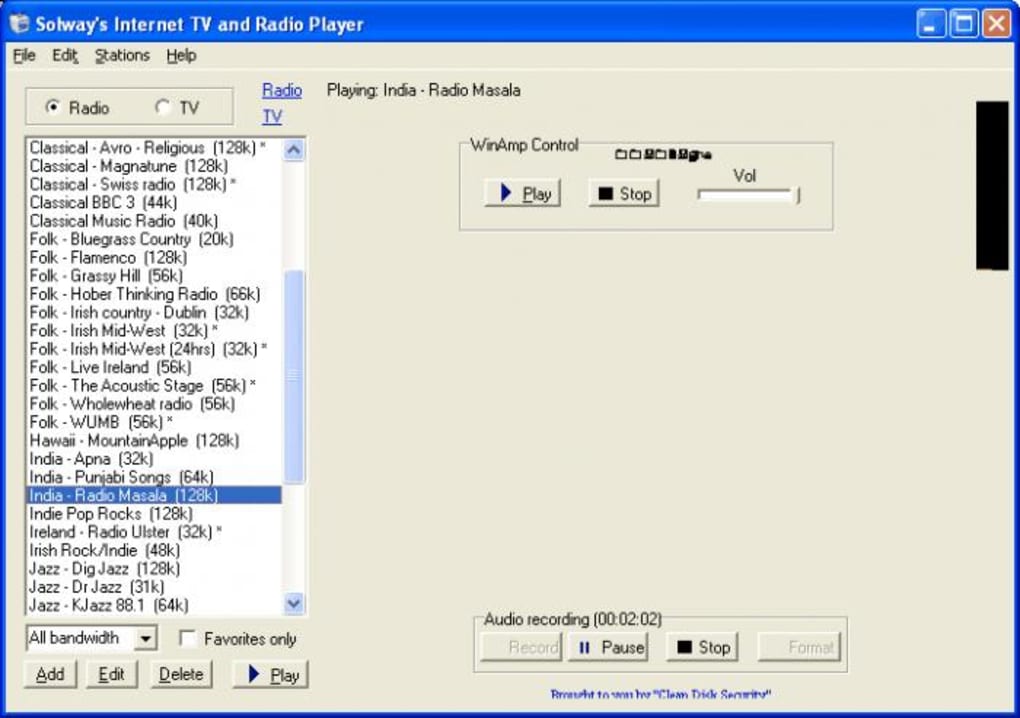
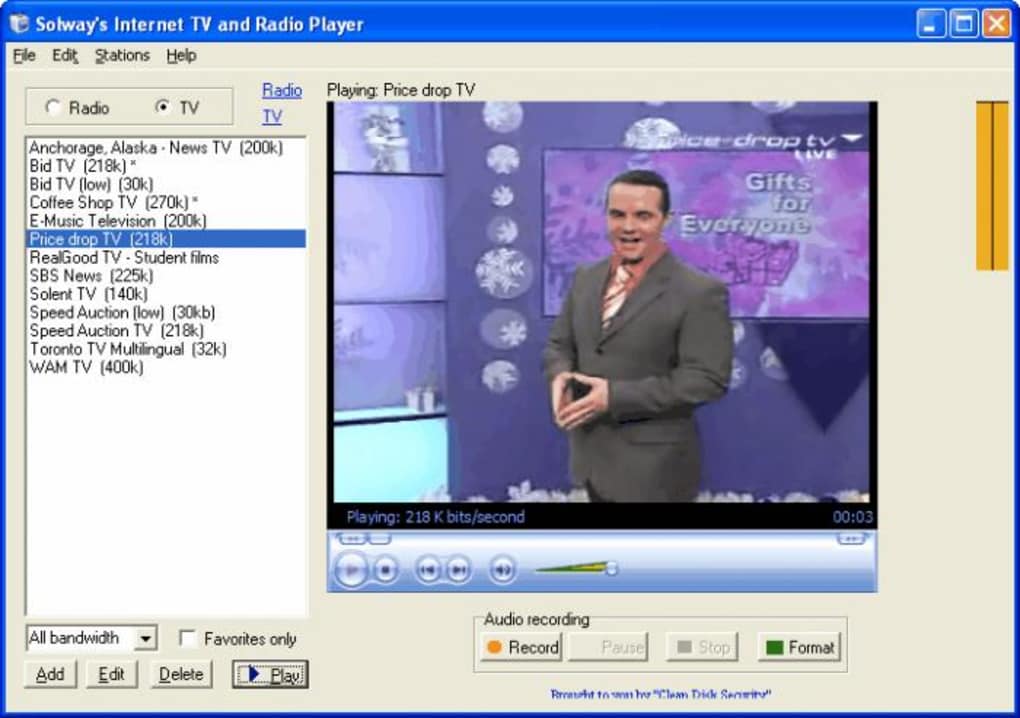
Once downloaded, double-click the setup file and follow the on-screen prompts. The installation typically takes less than a minute. After installation, launch the app from your desktop shortcut or Start menu. Upon first launch, you’ll be greeted with a minimalistic interface that displays a list of available channels grouped by category—such as News, Sports, Music, and Regional Broadcasts.
To start streaming, simply click on any channel from the list. The player will connect to the stream and begin playback instantly. If a channel doesn’t load, check your internet connection or try a different stream source. The software also allows you to manually add custom M3U playlists by navigating to the “File” menu and selecting “Open Playlist.” This feature is perfect for users who want to import their own curated channel lists from online repositories.
For long-term use, take advantage of the favorites system. Right-click on any channel and select “Add to Favorites” to save it for quick access later. You can also export your favorites list for backup or transfer to another device. While the app lacks advanced settings like video quality adjustment or subtitles, its simplicity ensures it remains fast and stable—perfect for users who prioritize reliability over bells and whistles.
Compatibility and System Requirements
Solway's Internet TV and Radio Player is specifically designed for Windows operating systems, with full compatibility across a broad range of versions. It officially supports Windows 2000 and earlier, including Windows 98, ME, and XP. This makes it one of the few streaming tools still functional on legacy systems that many modern applications no longer support. For users with older computers or those running minimal setups, this software is a reliable solution for accessing live content without performance degradation.
Despite its age, the software remains lightweight and efficient, requiring minimal system resources. It typically uses less than 10 MB of RAM during playback, which is ideal for older machines with limited memory. The app does not require a dedicated graphics card or advanced audio drivers, so it runs smoothly on systems with basic hardware.
While it doesn’t currently support Mac, Android, or iOS, Windows users can still enjoy a seamless experience. The lack of mobile support is a limitation for today’s on-the-go audience, but the software’s desktop focus ensures it delivers consistent performance on Windows platforms. For users seeking a secure, free, and stable streaming app that works on older systems, Solway’s Internet TV and Radio Player remains a top choice. It’s also worth noting that the software has been downloaded over 24,000 times since 2006, a clear sign of its enduring popularity and trustworthiness.
Pros and Cons: Is Solway’s Internet TV and Radio Player Right for You?
- Pros:
- Completely free with no subscriptions or ads
- Lightweight and runs on older Windows systems (Windows 2000 and earlier)
- Supports multiple streaming formats (M3U, HLS, RTMP)
- Large library of global TV and radio channels
- Simple, intuitive interface for easy navigation
- Save favorite channels with built-in playlist manager
- Secure and stable with no known malware issues
- Long-standing reputation with over 24,000 downloads
- Cons:
- No support for modern operating systems (Windows 10/11 not officially supported)
- Lacks modern UI and visual enhancements
- No mobile apps for Android or iOS
- Manual playlist management required (no auto-updates)
- No video quality or subtitle settings
- Development has been inactive since 2006
Frequently Asked Questions (FAQ)
Here are answers to some of the most common questions about Solway's Internet TV and Radio Player:
- Is Solway's Internet TV and Radio Player free to download?
Yes, the software is completely free to download and use. There are no hidden costs, subscriptions, or in-app purchases. It’s a one-time download with no recurring fees.
- Can I use this software on Windows 10 or Windows 11?
While the software was designed for older systems like Windows 2000 and XP, it may still run on Windows 10 and 11 using compatibility mode. However, official support is limited, and performance may vary. For best results, use it on older Windows versions.
- How do I add my own TV or radio channels?
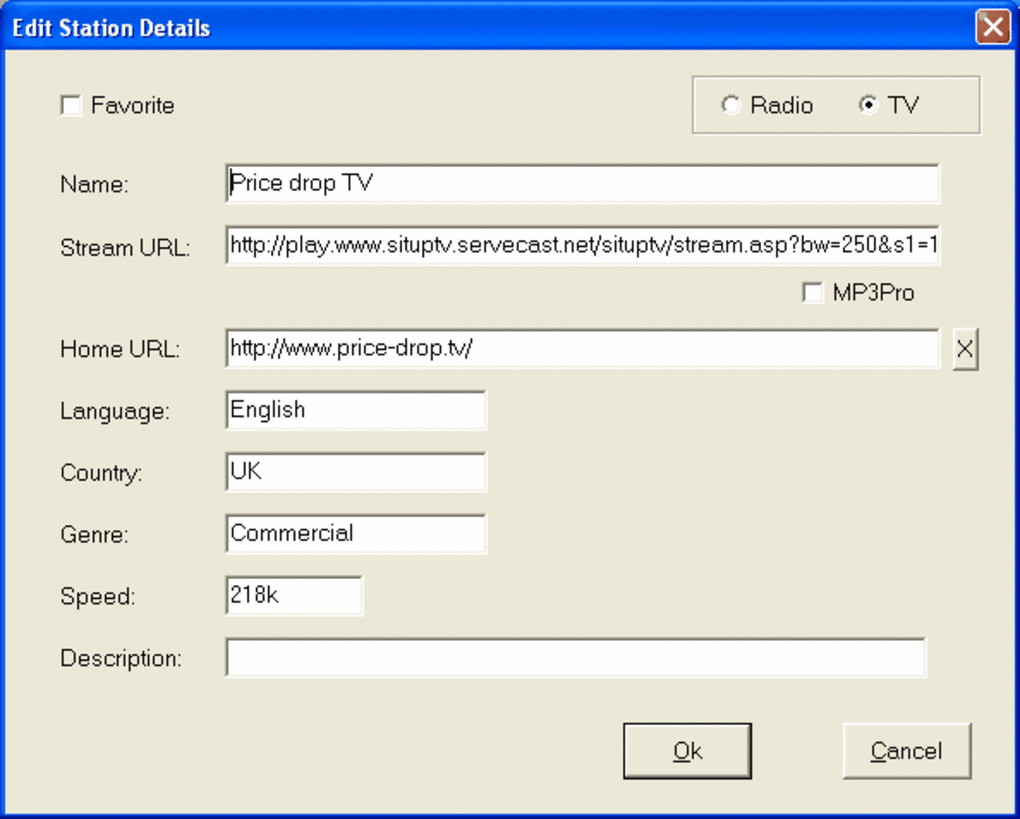
You can manually add custom channels by importing an M3U playlist. Go to the “File” menu, select “Open Playlist,” and choose your .m3u file. This allows you to expand the channel list with your preferred sources.
- Is the software secure to use?
Yes, Solway’s Internet TV and Radio Player is considered secure. It has been downloaded over 24,000 times without reports of malware or viruses. Always download from trusted sources to ensure safety.
- Does the software support subtitles or video quality settings?
No, the software does not offer video quality adjustments or subtitle support. It focuses on basic playback functionality, making it ideal for users who want a no-frills streaming experience.
Final Verdict: A Timeless Free Streaming Tool for Windows
Despite its age, Solway's Internet TV and Radio Player remains a powerful, free, and secure option for streaming live TV and radio from around the world. Its lightweight design, extensive channel library, and compatibility with older Windows systems make it a standout choice for users who value simplicity and reliability. While it lacks modern features and mobile support, its core functionality is solid and has stood the test of time.
If you’re using an older computer or need a no-cost solution for global content, this software is worth downloading. It’s especially useful for language learners, expatriates, or anyone curious about international media. For users on Windows 2000, XP, or even 98, it’s one of the few free tools still fully functional.
Download Solway's Internet TV and Radio Player today and start exploring the world’s broadcasts—no subscription, no hassle, just free, secure streaming.
Guides & Tutorials for Solway s Internet TV and Radio Player
How to install Solway s Internet TV and Radio Player
- Click the Preview / Download button above.
- Once redirected, accept the terms and click Install.
- Wait for the Solway s Internet TV and Radio Player download to finish on your device.
How to use Solway s Internet TV and Radio Player
This software is primarily used for its core features described above. Open the app after installation to explore its capabilities.
User Reviews for Solway s Internet TV and Radio Player 0
No reviews found





